
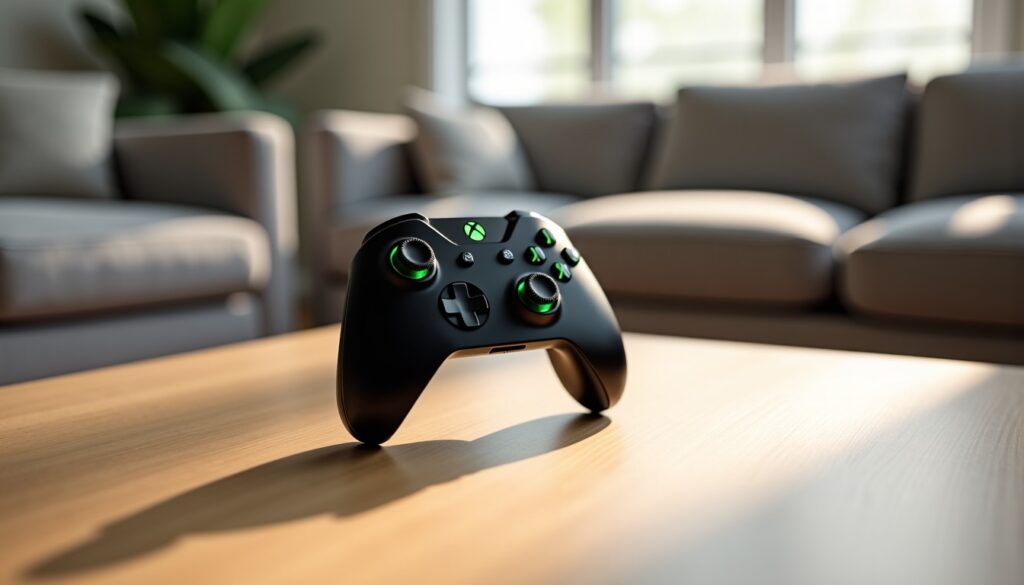
Microsoft launches the Xbox Nano, a compact wireless controller announced at 49.99 euros and expected in France from November 2026. Presented on October 14, it targets players looking for a lightweight gaming accessory, suitable for small hands or easy to slip into a bag, without sacrificing the usual Xbox controls.
- Size: just over 13 centimeters long and about 100 grams.
- Controls: 18 standard game commands and one programmable button.
- Compatibility: Xbox consoles, Windows PC, compatible Android and iOS devices, as well as certain smart TVs.
- To check before purchase: battery life has not yet been specified and the USB-C cable is sold separately.
Preorders opened on the day of the announcement, but the exact date of the first deliveries in November remains to be confirmed. We examine here what this small size can bring to a gaming console, a family game, or a gaming budget, and the practical details to watch before choosing this controller.
Xbox Nano: a compact controller size designed for portability
Microsoft presents the Xbox Nano as its smallest controller to date. With just over 13 centimeters long and weighing close to 100 grams, it clearly stands out from traditional Xbox controllers, designed for a larger grip. This reduced size meets two concrete uses: playing with smaller hands and carrying your controller without adding a bulky accessory to your bag.
Imagine Camille, who takes the train to join her family with a tablet and some mobile games. A classic controller can take up considerable space in a small pouch; the Nano, shorter and lighter, is easier to carry with other accessories. The gain alone does not transform the gaming experience, but it can make a difference during frequent trips or when one prefers not to transport an entire portable console.
Size can also facilitate games at home. For a child who finds a standard controller too wide, or for an adult with smaller hands, reducing the dimensions can make the controls more accessible. A more natural grip limits constant finger adjustments and allows focusing more on the game. The benefit will nonetheless depend on the shape of the shell and the position of the buttons: size alone is insufficient to guarantee good ergonomics.
Small size, grip to be assessed
Compactness can have the opposite effect for players used to longer handles. During a few minutes’ session, a reduced size often seems practical; after an hour, finger position, space between triggers, and handle stability become more important. We therefore recommend distinguishing the comfort during an occasional game from that sought for long video game sessions.
For a family, this controller can also become an extra controller reserved for cooperative games or guests. For example, a household that already owns two classic controllers can keep a third, more accessible to a young player, to start a Minecraft game or a family game. It does not need to replace existing controllers to find its place: its interest may precisely be to complement the equipment with a different size.
The weight of about 100 grams reinforces this nomadic vocation and can reduce transport-related fatigue. It alone does not allow knowing if the materials or triggers offer the same feel as a larger model. To judge ergonomics, you will need to try the controller, especially if you play titles that often require the sticks and shoulder buttons. The Nano focuses first on reduced bulk; lasting comfort remains the point to be tested under real conditions.
The size reduction is not accompanied by a simplified interface. Microsoft announces the retention of the 18 standard game controls, with a layout familiar to Xbox ecosystem players. The action buttons, sticks, triggers, and directional controls remain at the heart of the experience: the goal is to preserve known references in a more compact case, rather than invent a new way of playing.
This continuity should facilitate the transition from a classic controller to the Nano. A player alternating between an Xbox Series X|S console and a Windows PC does not have to learn a new layout to find the essential commands. This familiarity is useful in games where actions must be executed quickly: acquired reflexes are retained instead of searching for the function associated with each button.
A customizable shortcut for frequent actions
A programmable button completes the set. It can be associated, depending on the possibilities offered by the system, with shortcuts such as screenshot capture or recording a game clip. For a person who regularly shares their gameplay, this command avoids navigating through several menus. For another player, it can serve to launch a frequently used function faster. The value of this option will depend on the simplicity of its configuration and the actions actually available.
Take the example of Sami, who plays Minecraft with close ones and wishes to keep a successful build. A direct access to capture can make the operation smoother than searching for a key combination in the middle of a game. In an action game, however, he may prefer to leave this shortcut aside to avoid accidental presses. Customization is useful when it matches the player’s habits, not just because it appears on the technical sheet.
Microsoft specifically cites Minecraft, Grounded, and Bluey’s Happy Snaps to illustrate possible uses. These games cover different styles, from building and exploration to family experiences. They are sold separately: their mention serves to show the diversity of envisaged scenarios, and does not mean they are included with the controller. The same command layout can thus accompany a shared game with a child, a session on PC, or a more demanding console game.
The number of controls alone does not inform about their quality. The precision of the sticks, the resistance of the triggers, and the tactile feedback will count just as much, especially for players who practice racing or shooting games. The Nano promises the presence of usual functions, but the feel will have to be evaluated in use. Its technical interest lies in maintaining Xbox references in an unusual size, with an optional customizable shortcut.
Xbox Nano Compatibility: console, PC, and mobile devices
The Xbox Nano supports Xbox Wireless and Bluetooth. This dual connectivity matches its versatile purpose: the controller can be used with Xbox Series X|S and Xbox One consoles, Windows computers, compatible Android or iOS devices, and certain smart TVs. Exact compatibility may depend on the device model, its system, and features offered by the used game.
This variety allows considering several uses without multiplying controllers. At home, the Nano can serve on a game console; while traveling, it can accompany a compatible phone or tablet. For a player who also uses a PC, it can become a wireless controller easier to carry than a standard size model. It remains necessary to check pairing instructions specific to each device before the first game.
Switching from one screen to another without mixing uses
The presence of Bluetooth especially facilitates connection with many mobile devices. However, it is necessary to distinguish the controller’s compatibility from that of the game: a phone may recognize the controller without each app supporting physical controls. On computers, titles and platforms do not all manage accessories the same way. Prior checking thus avoids buying the Nano for a specific game that would not be compatible.
To illustrate this path, imagine Nora, who plays Xbox in the evening and sometimes uses a tablet during holidays. She could keep a single controller in her bag instead of carrying a second accessory dedicated to mobile. The interest becomes real if her games support an external controller and if the connection change remains easy. Compactness makes transport more convenient, while software compatibility determines if the game actually follows.
- Xbox Series X|S and Xbox One: connection provided by Xbox Wireless.
- Windows PC: announced use, with connection adapted to equipment and game.
- Android and iOS: support for compatible devices via Bluetooth.
- Smart TVs: operation announced on certain models, without universal guarantee.
The controller is equipped with a rechargeable battery and charges via USB-C. The cable is sold separately, a detail to factor into the cost and preparation for first use. Microsoft has not disclosed the usage duration per charge. For an accessory intended to travel, this data will show if the Nano lasts a full day away from a power outlet or if preventive charging is necessary.
Without official battery life, we cannot deduce the number of playing hours from the weight or battery size. Connection habits and session duration also influence the daily experience. Extended compatibility broadens uses, but battery life and ease of switching between devices will be decisive for mobile gaming.
Xbox Nano Price: 49.99 euros and preorders
The recommended retail price of the Xbox Nano is set at 49.99 euros in France, while the announced price in the United States is 49.99 dollars. The difference between the two amounts reflects different markets and pricing policies; it does not alone allow comparing the actual cost after taxes or according to resellers. Microsoft specifies that price and availability may vary by territory.
Preorders began on October 14, 2026, the day of the presentation, and commercial availability is announced from November. No precise delivery date in France is given in the information available. This absence does not call the planned launch into question, but it matters if you wish to gift the controller for a specific date or coordinate its purchase with a console and other accessories.
What the price includes — and what it does not allow to conclude
The price of 49.99 euros positions this controller in an accessible approach compared to high-end accessories. It is necessary to avoid deducing an exact price comparison with each standard Xbox model, as prices for these products may vary depending on offers and resellers. The Nano primarily advocates a distinct proposition: a reduced size, wireless connection, and usual controls, rather than a long list of advanced features.
| Item | Announced information | To consider |
|---|---|---|
| Recommended price in France | 49.99 euros | The actual price may vary depending on the seller and country. |
| Preorders | Opened on October 14, 2026 | The exact French delivery date is not specified. |
| Expected availability | From November 2026 | The schedule may differ depending on markets. |
| Charging | Built-in battery, USB-C port | Cable sold separately; battery life not disclosed. |
The launch also concerns several international markets, including the United Kingdom, Germany, Italy, Spain, Canada, Australia, Japan, South Korea, and Mexico. France’s presence among the announced territories is useful information for local buyers, even if stocks and delays will depend on sales channels. Before preordering, check the displayed price, any fees, and the estimated date communicated by the seller.
For a person already owning several controllers, the question is less about replacing all their equipment than about whether they will benefit from a second size. A family may appreciate a lightweight controller for young players, while a nomadic player may value its low bulk. Conversely, if you play exclusively at home and prefer a wide grip, the price alone is not enough to make the change relevant. At 49.99 euros, the purchase is mainly justified by size and uses, not by a promise of high-end quality.
Xbox Nano: who is this low-cost controller for?
The Xbox Nano primarily targets players who have a concrete reason to look for a smaller size. Children, people with small hands, travelers, and households wanting an additional controller form the most directly concerned audiences. For them, the weight close to 100 grams and length just over 13 centimeters can make storage and handling more convenient.
It can also find a place in a modest gaming budget. At 49.99 euros, it offers an alternative to consider to complete equipment, provided that its features meet your needs. A student who regularly carries their PC and plays in several locations may prefer this size to a bulkier controller. A family may reserve it for local games, without turning every session into a high-end accessory purchase.
Choose according to your way of playing
For a reasoned choice, we can start from simple situations. If you alternate between console and phone, Bluetooth compatibility and reduced size are potential advantages; if your mobile games do not recognize controllers, interest diminishes. If you are looking for a controller for a young player, the size seems promising, but a test remains preferable to check that buttons are accessible without effort.
For family games, the titles mentioned by Microsoft give an idea of the sought diversity. Minecraft can suit creative sessions, Grounded a cooperative survival experience, and Bluey’s Happy Snaps a more family-oriented setting. This is not an exhaustive selection nor a bundled offer: these examples show that the controller is not reserved for travel. It can also be used at home, when a standard controller seems too large for a participant.
Players who prioritize long competitive sessions should pay particular attention to grip feel. A compact shell can be practical, but the shape of the handles, the pressure required on triggers, and stick precision remain personal criteria. The presence of 18 controls indicates that essential functions are retained; it does not replace a comfort test or detailed information on materials.
Finally, official announcements and rumors about a possible Xbox Elite Series 3 should be kept separate. Microsoft did not present this model as part of the Nano announcement. Moreover, the two products would not serve the same need: the Nano favors portability and accessibility, while an Elite controller would be associated with a more specialized approach and advanced functions if confirmed.
Before ordering, we advise checking four points: your devices’ support, the estimated delivery date, the cost of the USB-C cable if you need one, and battery information when published. This check allows confronting the marketing promise with your real use. The Xbox Nano proves especially interesting if its reduced size solves a concrete transport or grip problem.